Suspension Support
When a client’s TikTok ad account gets suspended, and the advertiser fully complies with TikTok policies, Ecomdy can help by:
- Raising tickets and submitting direct appeals to the TikTok team (with the necessary documents, materials, and supporting evidence provided by the client).
- Helping clients recover their remaining balance from suspended ad accounts (from April 2026)
Step 1: Access your ad accounts
Log in to the Ecomdy platform => Go to "My Ad Accounts" in your dashboard
Sep 2: Check eligibility
The Refund button will appear next to your ad account only if it meets all of the following conditions:
- The ad account is suspended
- The account balance is greater than $0
- The refund feature has been enabled for your account
If any of these conditions are not met, the Refund button will not be displayed.
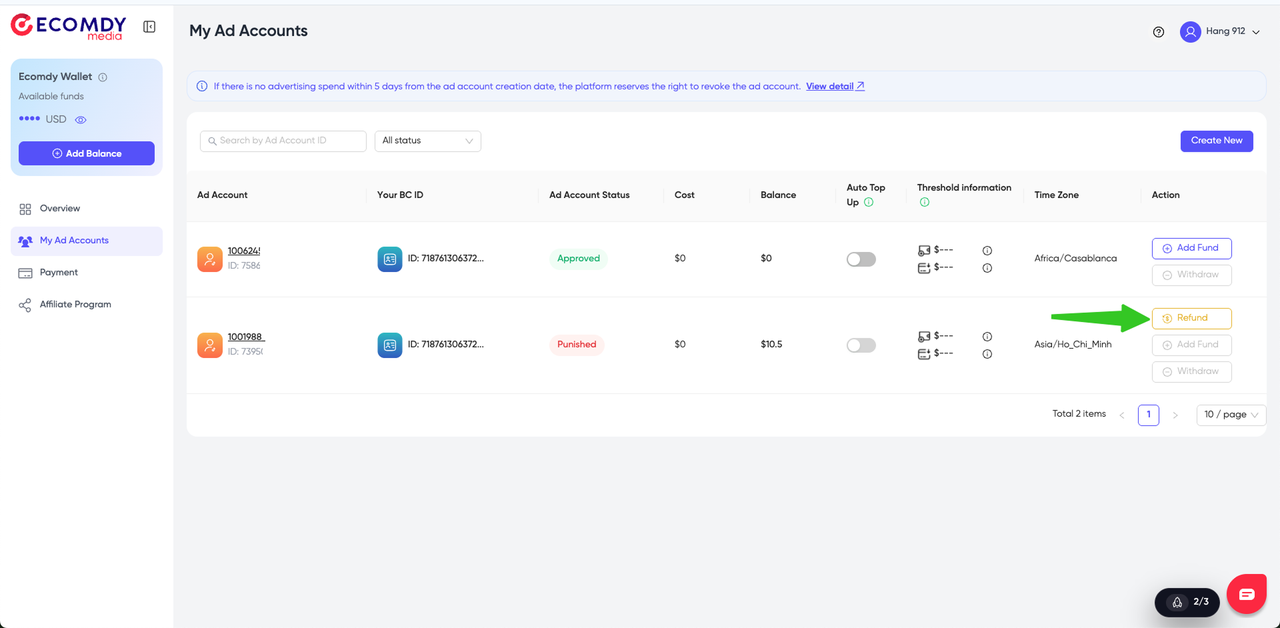
Step 3: Submit a refund request
- Click on the Refund button
- A confirmation popup Refund Ad Account Balance will appear
- Click Confirm Refund to proceed
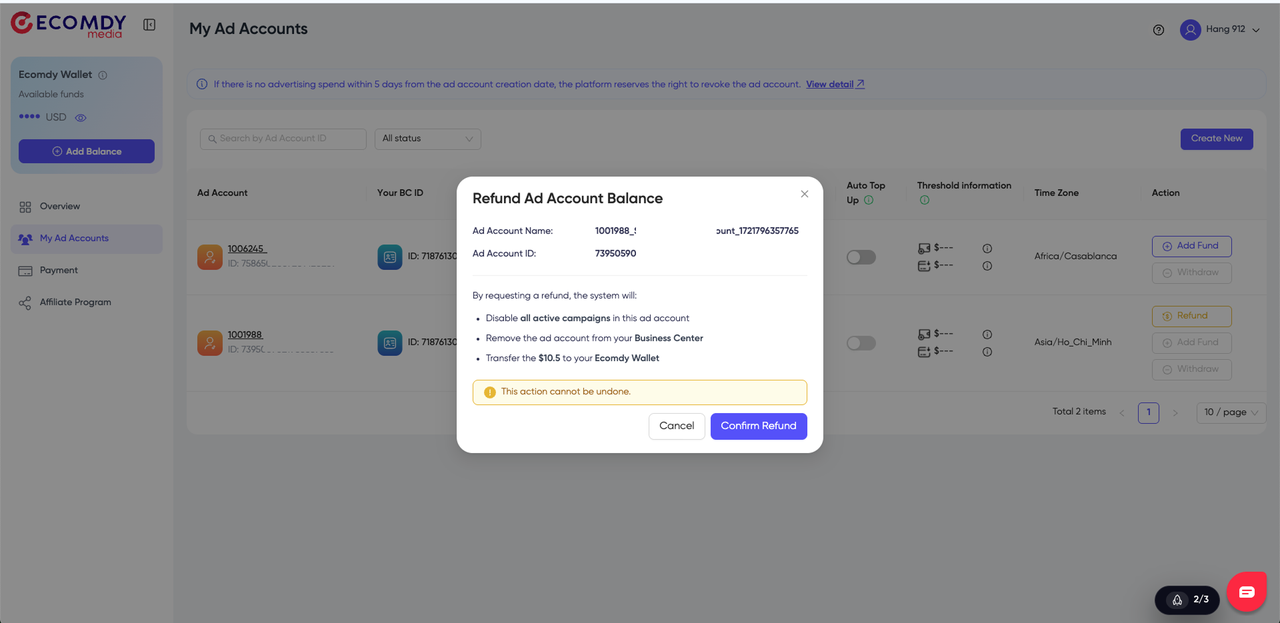
Note: The refund amount cannot be adjusted. The system will automatically refund the full remaining balance of the ad account.
Step 4: After the refund is completed
Once your request is successfully processed:
- The remaining balance will be automatically transferred to your Ecomdy Wallet
- All campaigns in the ad account will be turned off immediately
Note: You can check your transaction history at Ecomdy Wallet Transaction History
If you need support, please contact our support team via:
- Account Manager / Business Development
- Box chat the Ecomdy Platform
- WhatsApp: +84 966 333 055 / https://wa.me/84966333055
- Fanpage: https://www.facebook.com/EcomdyMedia
- Email: [email protected]