Payoneer
Payment process via Payoneer
- Select the 'Add Balance' button and select 'Payoneer' as your payment method.
- Click Connect PO account
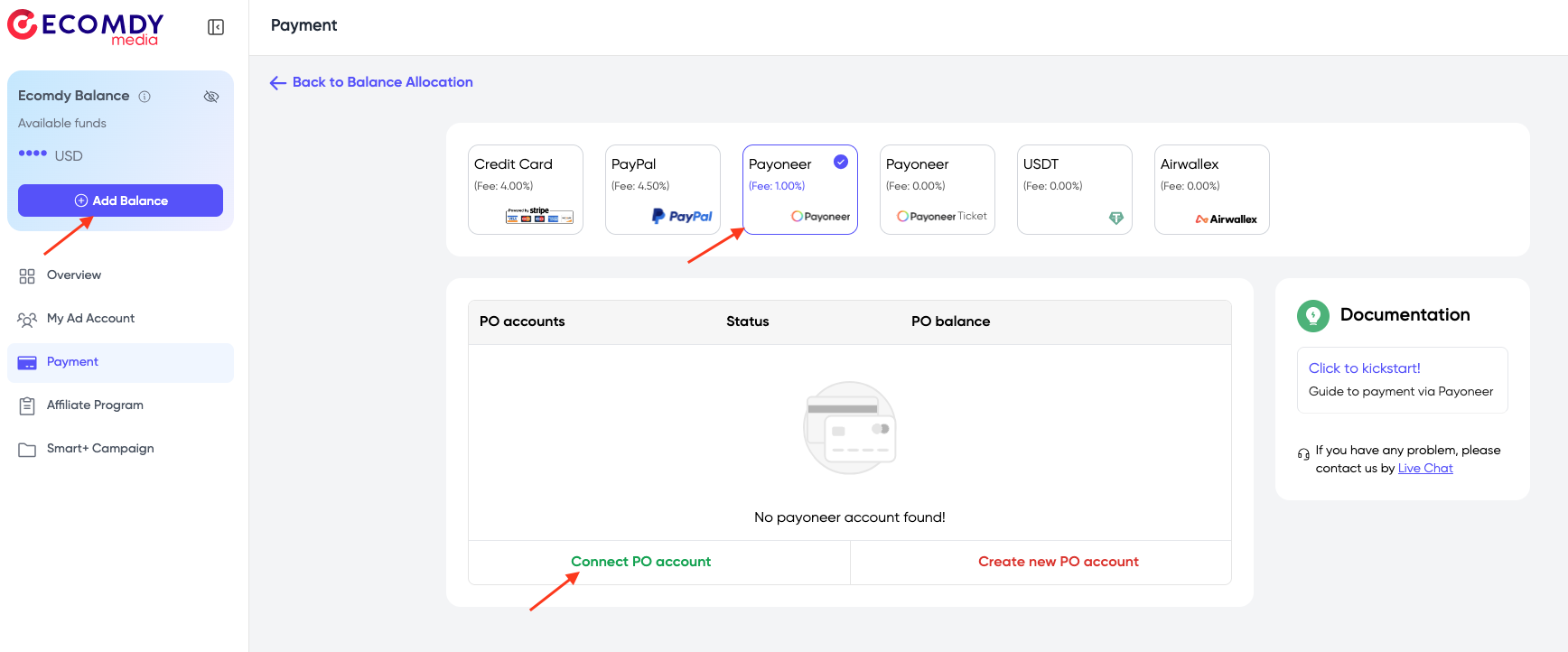
If you do not have a Payoneer account, click Create new PO account and follow Payoneer's guidelines to create a Payoneer account
- Fill your Payoneer account information: Email, Password >> 'Sign in'

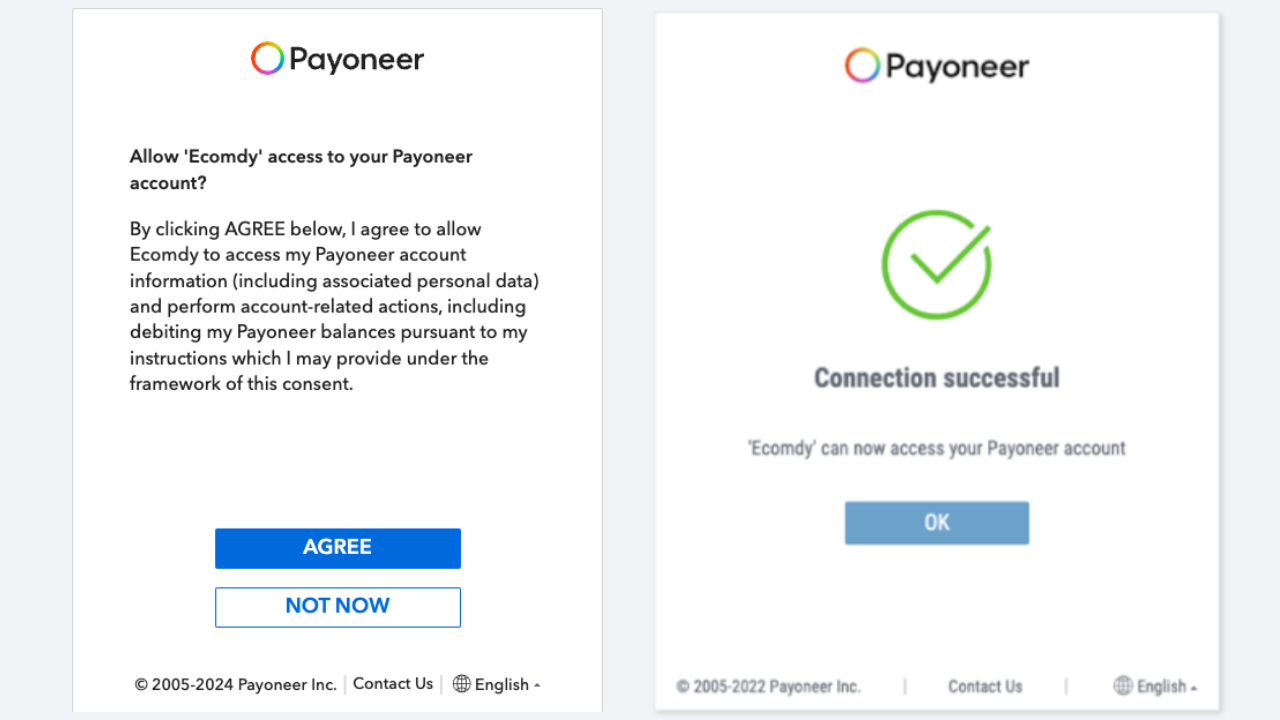
- Click 'Agree' to allow Ecomdy access to your Payoneer account. This interface shows the successfully connected status to your Payoneer account. Now you can top up via your Payoneer account.
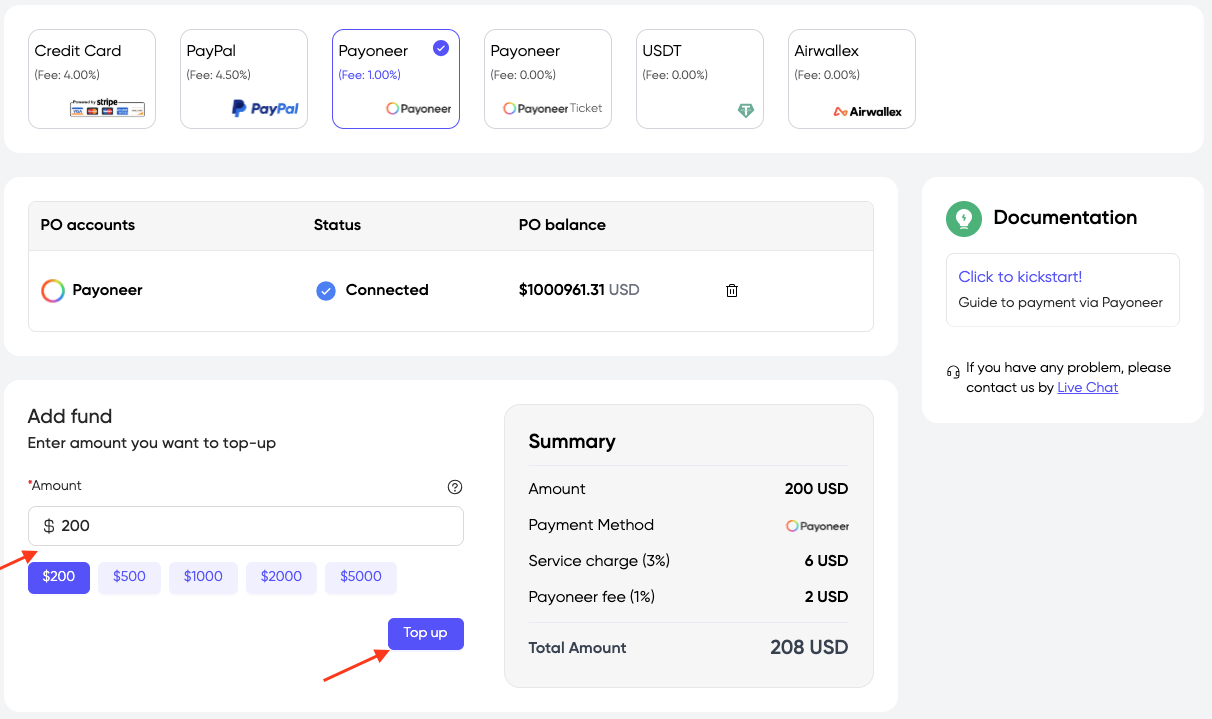
- Enter the amount you want to add balance, click 'Top up'